

7 Free Avery Candle Label Templates For Candles That Sell
A great candle can go unnoticed if the label doesn't pull its weight. At Small Flame Candle Company, we hand-pour every candle we sell, and we learned early on that what's on the outside of the jar matters almost as much as what's inside it. Whether you're building a candle brand from scratch or selling at local markets, having the right avery candle label templates saves you time, money, and the headache of designing from a blank screen.
Avery labels are easy to find, work with most home printers, and come in sizes that fit standard candle jars without trimming or guesswork. Pair them with a solid template and you've got a label that looks professional, not DIY. The trick is knowing which free templates are actually worth downloading and which ones will waste your afternoon.
Below, you'll find seven free Avery candle label templates that are ready to customize and print. Each one was picked because it's functional, clean, and designed to help candles sell, not just sit pretty on a Pinterest board. We'll cover what makes each template work, which Avery label sizes they fit, and how to make them your own.
1. Avery candle label templates page
Avery's dedicated templates page is the most direct place to start when you want free avery candle label templates without building from a blank screen. It hosts pre-built designs organized by category, and the candle section gives you label layouts that already account for jar dimensions, font sizing, and standard label margins.
What you get
You get access to free, downloadable templates formatted for Avery's most popular label products. Each template opens in Avery Design and Print Online, their browser-based editor, so you don't need any software installed. The designs include editable text fields, color blocks, and logo areas you can update in a few minutes.
Best for
This resource works best for makers who want a ready-to-print label without building from scratch. If you're new to label design or need something presentable for a local market quickly, the templates page gets you there without a steep learning curve or a subscription fee.
How to customize and print with Avery
Open your template in Avery Design and Print, click any text block, and replace the placeholder copy with your candle name, scent notes, and burn time. When your design is ready, select "Preview and Print" to check alignment before committing. Then load your Avery label sheets into your printer label-side face-down and print.
Avery recommends running a test print on plain paper first to confirm alignment before loading actual label sheets.
Label shapes and sizes that fit most candle jars
Most standard candle jars fit one of three Avery label sizes. Pick the one that matches your container's shape and surface area:
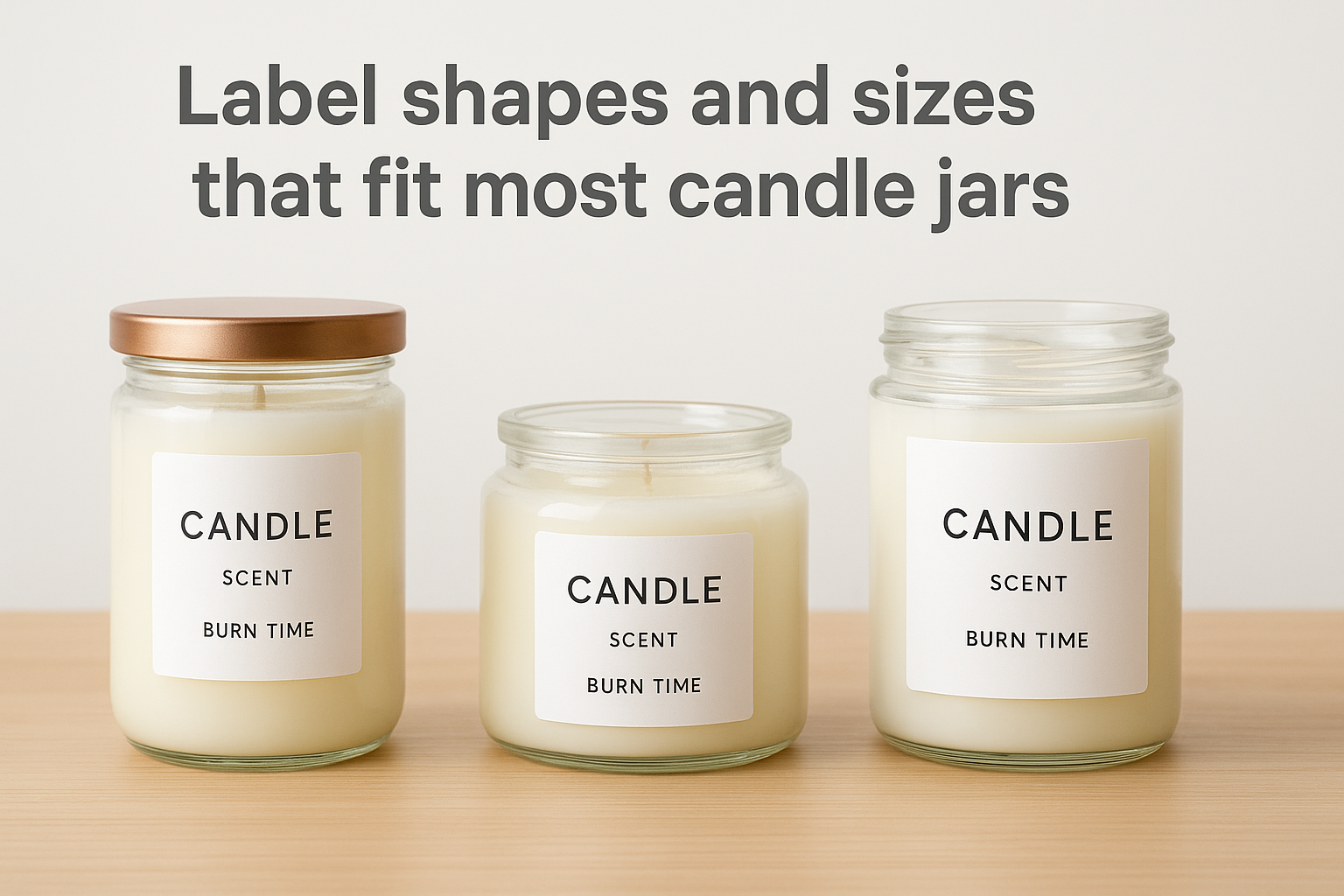
| Label Product | Size | Best For |
|---|---|---|
| Avery 8162 | 1.33" x 4" | Tall cylindrical jars |
| Avery 22826 | 2" x 2" | Round or square lids |
| Avery 8255 | 3.5" x 5" | Straight-sided wrap-around labels |
Common mistakes to avoid
The most common mistake is picking a label too large for the jar, which causes the edges to lift and peel. Always measure your jar's flat labeling surface before you choose a size. Beyond fit, avoid using light-colored text on a white label background, since poor contrast makes your candle nearly impossible to read on a retail shelf.
2. Avery blank candle labels with built-in templates
Avery sells blank label sheets that come loaded with built-in template codes, which means you type your label's product number directly into Avery Design and Print and the software pre-loads the correct dimensions automatically. This approach removes nearly all the guesswork from setup.
What you get
You get blank label sheets paired with free digital templates that match the sheet's exact specifications. The template opens pre-sized with the right margins and cell spacing, so your design fits every label on the sheet without manual adjustments.
Best for
This option works best for makers who already know their jar size and want a template built around a specific label shape. It's also a strong choice if you're printing multiple scent variants on a single sheet, since you can assign different designs to individual label cells.
How to customize and print with Avery
Find the product number printed on your label sheet's packaging, enter it on Avery's template search, and the editor loads your sheet layout. From there, replace placeholder text with your candle's name and scent details, then print a test sheet on plain paper before loading the actual labels.
Always confirm your printer's paper tray handles the sheet size you're using before printing a full run.
How to measure your jar for the right fit
Wrap a strip of paper around the flattest labeling surface on your jar and mark where it overlaps. That measurement is your maximum label width. Match it against Avery's label dimensions before selecting your sheet.
Common mistakes to avoid
Avoid selecting a glossy label sheet if you plan to write on your labels by hand, since most pens won't adhere cleanly. Also skip full-bleed designs on blank sheets, because the white border around each label cell will show through and break the design.
3. Avery WePrint candle label calculator and templates
Avery WePrint is Avery's professional printing service, and it includes a built-in label size calculator alongside pre-loaded candle label templates. Instead of printing at home, you submit your finished design and Avery ships professionally printed labels directly to your door.
What you get
You get access to a label calculator that recommends the right dimensions based on your jar size, plus templates pre-formatted for those dimensions. The service handles printing on commercial-grade equipment, which means sharper colors and cleaner edges than most home printers can produce.
Best for
WePrint works best for makers who want a polished, consistent label across a larger order run. If you're preparing for a wholesale account or a holiday batch of candles, this option removes the variability that comes with printing at home.
WePrint is worth considering once you've finalized your label design and confirmed your jar fit, since reprinting a large order is costly if something is off.
How to customize and order printed labels
Upload your design or build one using the Avery WePrint online editor, then enter your jar measurements into the calculator. The tool confirms your label dimensions, and you select your quantity and material before placing the order.
Material and finish picks for candles
For candles, matte white stock reads as clean and artisanal, while clear polypropylene gives a no-label look on glass jars. Avoid standard paper stock for any candle that might sweat or sit near heat.
Common mistakes to avoid
Many makers finalize their avery candle label templates in a design tool but forget to convert text to outlines before uploading. This causes font substitutions that can break your layout. Also check that your file resolution is at least 300 DPI before submitting, or the printed result will look blurry at close range.
4. Avery candle designs gallery for inspiration templates
Avery's designs gallery is a browsable collection of pre-made label layouts sorted by theme, color palette, and product type. It gives you a visual starting point when you know the feeling you want your label to convey but haven't landed on a specific layout yet.
What you get
You get dozens of styled candle label mockups you can filter by color, shape, and industry. Each design links directly into Avery Design and Print, where it opens pre-loaded and ready to edit. No downloads, no file conversion needed.
Best for
This gallery works best for makers who feel stuck staring at a blank canvas. If you need visual direction before you commit to a layout, browsing styled examples helps you move faster than starting from scratch.
How to recreate the look in Avery Design and Print
Click any design in the gallery and it opens in the editor with all layers and text blocks intact. Swap the placeholder candle name, adjust the font color to match your brand, and update the scent descriptor. The structure stays in place while you make it your own.
Changing just the color palette of an existing gallery design is often enough to make it feel original and brand-specific.
How to match designs to scent categories
Pair warm earth tones with woodsy or bakery scents, and use cooler palettes for citrus or fresh linen fragrances. Keeping your avery candle label templates visually consistent with the scent category helps customers connect before they ever open the jar.
Common mistakes to avoid
Avoid pulling a gallery design without adjusting the default placeholder font, since many makers skip this step and end up with labels that look nearly identical to other sellers. Also resist using every color in a template; limiting yourself to two or three tones keeps the label clean and readable.
5. Adobe Express candle label templates
Adobe Express offers a free browser-based design tool with a library of candle label templates you can customize without downloading any software. The templates are polished, visually varied, and built for makers who want more design control than a basic editor provides.
What you get
You get access to hundreds of label templates with fully editable text, images, and color schemes inside the Adobe Express editor. Many candle-specific layouts are already proportioned for common label dimensions, and the tool lets you swap fonts, upload your own logo, and adjust spacing without any design background.
Best for
Adobe Express works best for makers who want a more refined visual result than Avery's built-in templates offer. If your brand identity leans toward a specific aesthetic, the broader template library gives you more options to match it.
How to export and print on Avery labels
Finish your design in Adobe Express, then download it as a high-resolution PDF or PNG. Open the file in your print settings, set the paper size to match your Avery sheet, and scale it to fit without stretching. Then load your Avery label sheets and print.
Always select "Actual Size" in your print dialog to prevent the design from scaling up or down and misaligning with your label sheet.
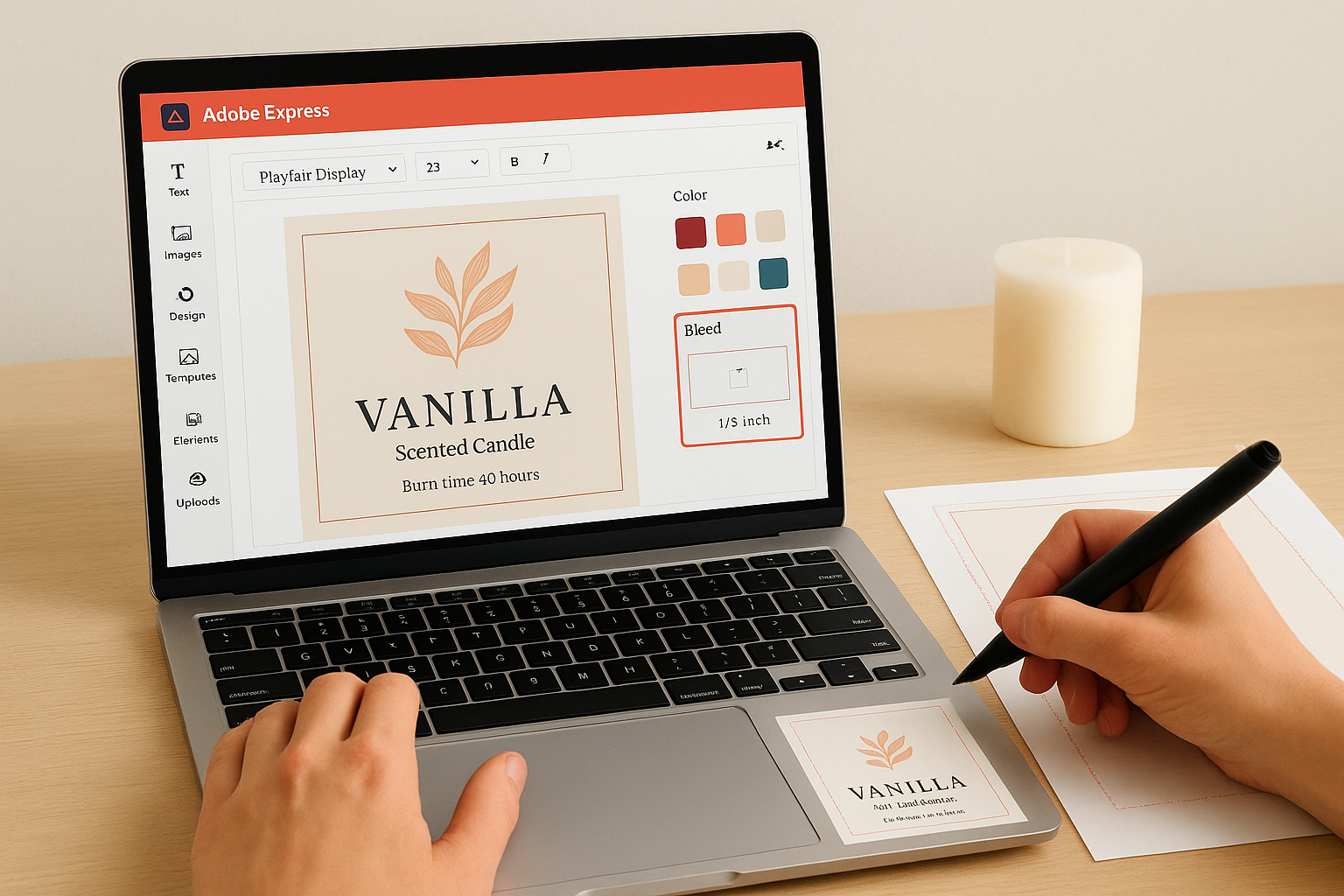
How to set up label bleed and safe margins
When building avery candle label templates in Adobe Express, keep all critical text and logos at least 1/8 inch inside the label edge. Add a 1/8-inch bleed area around the outer boundary if your design includes background color that should print edge to edge.
Common mistakes to avoid
Avoid exporting your design at screen resolution (72 DPI) instead of print resolution (300 DPI), since the printed result will look soft and unprofessional. Also check that your canvas dimensions exactly match your chosen Avery label size before you export, or the alignment will shift when you load the sheet.
6. Canva candle label templates
Canva offers a free-tier design platform with a broad library of candle label templates you can edit directly in your browser. The interface is straightforward, and most customization tasks, including font swaps, color changes, and image uploads, take only a few minutes.
What you get
You get a searchable template library with editable candle label designs in a range of styles, from minimal to illustrated. Canva's free plan covers the core tools, and you can upload your own logo or product photos without paying for a subscription.
Best for
This tool works best for makers who already have a clear brand identity and want to apply it quickly across multiple label variants. It's also a strong fit if you're comfortable doing your own layout work rather than relying on preset label structures.
How to size designs for Avery label sheets
Set your canvas dimensions in Canva to exactly match your Avery label's measurements before you start designing. For example, if you're using a 2" x 4" label, enter those exact inches in the custom size field. Download your finished design as a high-resolution PDF and print it scaled to actual size so the layout lands correctly on your sheet.
Mismatched canvas dimensions are the single most common reason Canva designs shift out of alignment when printed on Avery label sheets.
How to keep text readable on small labels
Keep your font size no smaller than 7pt on labels under 2 inches wide, and stick to one or two typefaces per label. High contrast between your text color and background is what actually makes a label readable on a retail shelf.
Common mistakes to avoid
Avoid downloading your design as a JPEG, since compression artifacts will show up clearly on printed labels. Also skip decorative script fonts for ingredient or safety text, because small cursive text is nearly impossible to read at the sizes most avery candle label templates require.
7. SheetLabels online candle label templates
SheetLabels offers a free online label template tool that lets you build and download candle label designs sized to match standard label sheets, including Avery-compatible products. The platform is straightforward and works without an account for basic template access.
What you get
You get a library of pre-sized label templates you can edit directly in your browser and download as print-ready files. The tool includes common candle label dimensions and lets you adjust text, colors, and borders without any design software.
Best for
SheetLabels works best for makers who want a no-frills template that prints reliably on Avery-compatible sheets they already have on hand. If you need a functional label fast and don't want to navigate a feature-heavy editor, this tool keeps the process short.
How to print on Avery sheets without alignment issues
Download your finished design as a PDF set to actual size, then load your Avery sheets into your printer according to the tray orientation guide printed on the sheet's packaging. Print a test run on plain paper first and hold it up against your label sheet to confirm the cells line up before running the real sheets.
A single test print on plain paper catches alignment problems before they waste an entire sheet of labels.
When to choose sheets vs rolls
Use label sheets when you're printing short runs with a standard home or office printer. Switch to rolls only if you're running high-volume orders through a commercial label printer, since most Avery-compatible sheet templates for avery candle label templates aren't formatted for roll-fed equipment.
Next steps
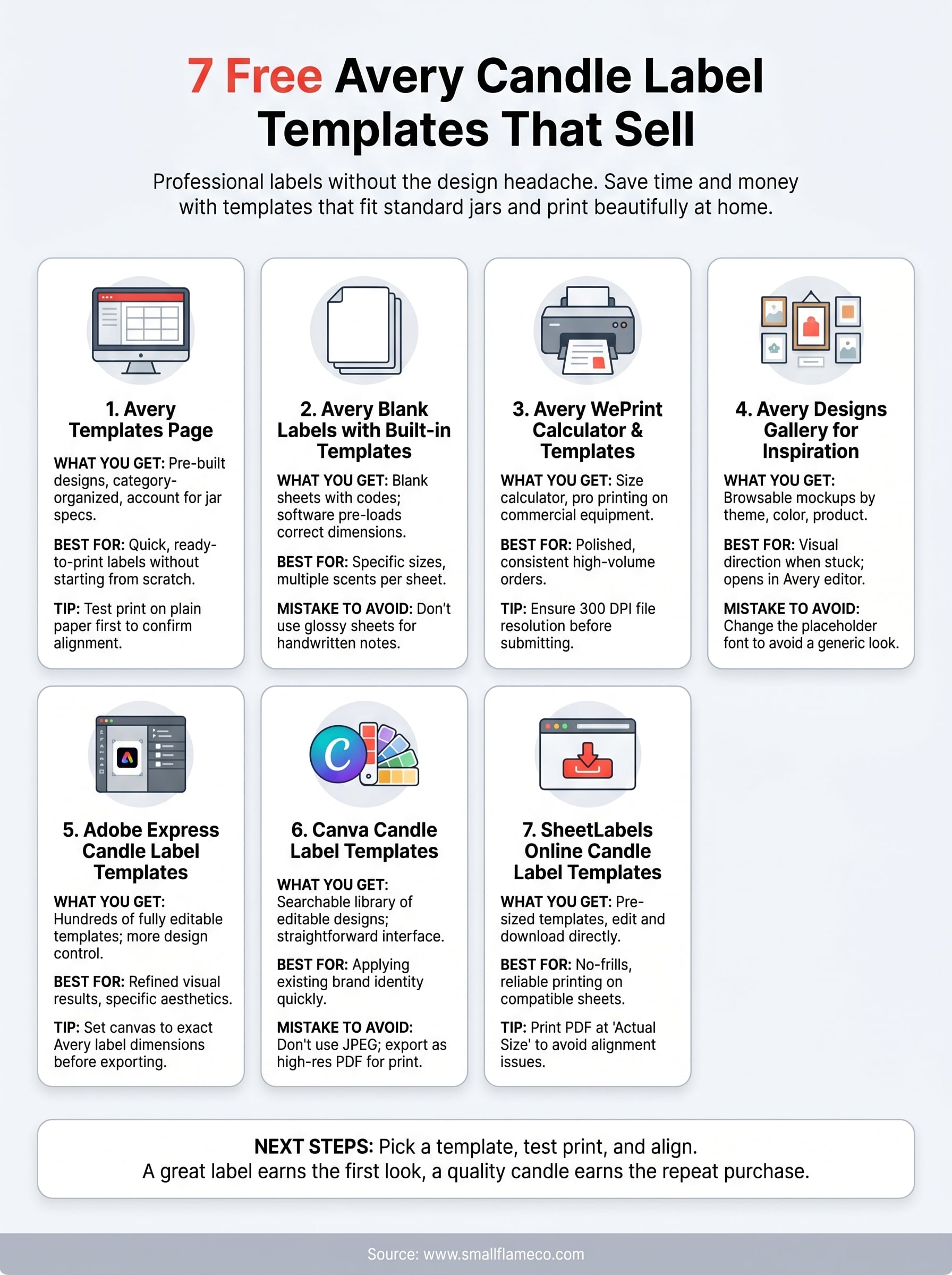
You now have seven solid starting points for building a label that actually represents your candle. Each of the avery candle label templates listed here is free to access, and most will get you to a print-ready file in under an hour. Start with one template that matches your jar size, run a test print on plain paper, and check alignment before you commit to a full sheet.
Once your label is locked in, the candle inside it needs to deliver. A strong label earns the first look, but a quality product earns the repeat purchase. If you want to see what a well-made candle looks and smells like before you finalize your own line, take a look at our hand-poured coconut wax candles. Every jar is poured with a premium coconut-soy wax blend and toxin-free fragrance, so the standard is clear from the first burn.